


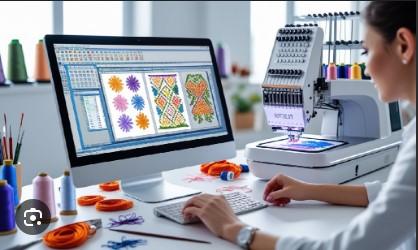
Good artwork is the base of many print and design jobs. A small JPG or PNG may look fine on a screen. But it can look rough when you make it large. This is why many firms need clean vector art. Professional Vector Art Tracing Services can turn a pixel image into smooth vector art that is easy to edit and resize.
What Is Vector Art Tracing?
Vector tracing is the act of redrawing a raster image as vector art. A raster image is made of small pixels. A vector file is made of paths, lines, and shapes.
Vector art can grow or shrink with no loss of sharpness. This makes it useful for logos, signs, shirts, labels, ads, and more.
Common vector file types include:
-
AI
-
EPS
-
SVG
-
PDF
Each file type has its own use. A good tracing service can give you the file that fits your job.
Why Do You Need Vector Tracing?
A low-res image may have rough edges. It may also have blur, noise, or broken lines. These issues can cause poor print results.
Vector tracing helps create:
-
Smooth edges
-
Clean curves
-
Sharp text
-
Clear shapes
-
Easy edits
-
Scalable artwork
This can make your design work much easier.
How to Choose a Reliable Tracing Service
Choosing a tracing team is not just about price. You need to check the skill, work quality, file types, and service process.
1. Check Their Past Work
Start by looking at samples.
A good portfolio should show more than one type of job. Look for logos, signs, line art, complex shapes, and color work.
Check the edges closely. Good vector art should have smooth paths and clean curves.
What to Look For
Look for:
-
Smooth lines
-
Clean corners
-
Good shape control
-
Correct colors
-
Neat paths
-
Clear small details
If the samples look rough, the same issue may appear in your file.
2. Ask About Manual Tracing
Manual tracing often gives better control than a simple auto-trace tool.
Auto-trace software can create too many points. It may also make rough curves or strange corners.
A skilled artist can clean these paths and choose the best shape for each part of the artwork.
Manual work is very useful for logos and art with fine detail.
3. Check the File Formats
Before you place an order, ask which formats are offered.
You may need:
-
AI for design work
-
EPS for print work
-
SVG for web and cutting
-
PDF for sharing and print
The right format depends on your final use.
A reliable service should understand these needs and provide a file that works with your design or print setup.
Why Clean Paths Matter
A vector file can have hundreds or even thousands of points. Too many points can make the file hard to edit.
Clean paths use the right number of points. They follow the shape without adding extra bends.
This can help with:
-
Better editing
-
Smaller files
-
Smoother cuts
-
Cleaner prints
-
Better scaling
A good artist knows when to add a point and when to remove one.
Check Color Accuracy
Color is another key part of vector tracing.
If your source image has a brand color, the final file should stay as close as possible to the source.
Ask the service how it handles color.
For print work, you may need CMYK. For screen use, RGB may be better. Some jobs also need spot colors.
Why Color Setup Matters
Wrong color settings can change how a design looks when printed.
A good tracing service should ask about the final use before setting up the file.
Check How They Handle Text
Text can be tricky in vector art.
Small letters must stay clear. Curved letters need smooth paths. Fonts may also need to be turned into shapes before a file is sent for production.
Ask the artist to check:
-
Letter shape
-
Spacing
-
Size
-
Curves
-
Alignment
This is very important for business logos.
Ask About Complex Artwork
Not every image is simple.
Some artwork has:
-
Many colors
-
Fine lines
-
Small shapes
-
Gradients
-
Shadows
-
Texture
-
Hand-drawn parts
A good tracing service should tell you what can be kept and what may need to change.
Do not trust a service that promises a perfect result without first reviewing your artwork.
Consider Your Final Use
The best vector file depends on where you will use it.
Screen Printing
Screen printing often needs clean shapes and clear color separation.
Embroidery
Vector art can serve as a source file for embroidery digitizing. It still needs to be converted into stitch data before an embroidery machine can use it.
Signage
Signs may be made very large. Clean vector paths help keep edges sharp.
Laser Cutting
Laser work needs clean paths and proper shapes. Open or broken paths can cause issues.
Promotional Products
Mugs, bags, pens, and other items may need clean vector artwork for print or production.
Tell the tracing team what you plan to make. This helps them prepare the file in the right way.
Ask About Turnaround Time
Time matters when you have a print job or a product launch.
Ask how long the job will take before you start.
Fast service can be useful, but speed should not replace quality.
A rushed file may have:
-
Extra points
-
Bad curves
-
Wrong colors
-
Missed details
-
Poor shape work
Look for a team that offers a clear time estimate and still checks the work.
Review the Pricing
Price is important, but it should not be the only factor.
Some simple artwork may take little time. A complex logo may take much longer.
Ask if the price is based on:
-
Image detail
-
Number of colors
-
Design size
-
File type
-
Trace complexity
-
Editing needs
A clear quote helps you avoid surprises.
Ask About Revisions
Even good work may need a small change.
For example, you may want:
-
A color change
-
A small shape edit
-
A cleaner curve
-
Different file format
-
Text adjustment
Ask about revisions before you order.
A clear revision policy shows that the service cares about the final result.
Check Communication
Good communication makes the whole process easier.
The service should understand your needs and ask useful questions.
They may ask:
-
What is the artwork for?
-
What size will it be?
-
Which file format do you need?
-
Do you need CMYK or RGB?
-
Is the artwork for print or web?
-
Do you need editable files?
These questions show that the team is thinking about the real use of your artwork.
Why Experience Matters
Vector tracing is more than clicking an auto-trace button.
A skilled artist needs to understand shapes, curves, colors, layers, and paths. They also need to know how artwork will be used after tracing.
For example, a logo for a large sign may need a different setup from a logo used on a small label.
Hands-on experience helps artists make these choices with care.
Common Mistakes to Avoid
Choosing Only by Price
The cheapest service may not give you clean work.
Poor vector art can cost more later when a printer or designer has to fix it.
Skipping the Portfolio
Always review samples before placing a large order.
Not Giving the Final Use
The artist needs to know how the file will be used.
Accepting a Poor Auto Trace
Automatic tracing can be a starting point. It is not always a finished file.
Not Checking the Final File
Open the file and inspect it before sending it to production.
How a Professional Service Works
A strong tracing process often follows these steps.
Step 1: Artwork Review
The artist checks the source image and notes any problems.
Step 2: Shape Planning
Main shapes, lines, and colors are planned.
Step 3: Manual Tracing
The artist builds clean vector paths around the artwork.
Step 4: Color Setup
Colors are matched and set for the intended use.
Step 5: Path Cleanup
Extra points and rough curves are removed.
Step 6: Quality Check
The final file is checked at different sizes.
Step 7: File Delivery
The finished vector files are sent in the formats you need.
This process helps create artwork that is ready for real production.
How Absolute Digitizing Can Help
Absolute Digitizing understands that clean source artwork can make many production jobs easier. A well-made vector file can serve as a strong base for print, branding, embroidery, and other design work.
When choosing any vector tracing provider, focus on clear paths, correct colors, useful file formats, skilled manual work, and good communication.
Final Thoughts
Choosing a reliable vector tracing service can save time and reduce design problems. The right team will not just trace the outside of an image. It will create clean paths, fix rough edges, set colors, and prepare the artwork for its final use.
Before you order, review the portfolio. Ask about manual tracing. Check file formats and color setup. Ask about price, turnaround, revisions, and quality checks.
Most of all, choose a service that understands what your artwork needs. Clean vector art gives you more freedom. It can be resized, edited, printed, and used across many types of projects without losing its sharp look.
A careful tracing process can turn a small, rough image into a clean design that is ready for professional use.






 English